
How to grant Account (Org) Login Access ?
Click on View Profile and then on Settings

Click on Grant Account Login Access
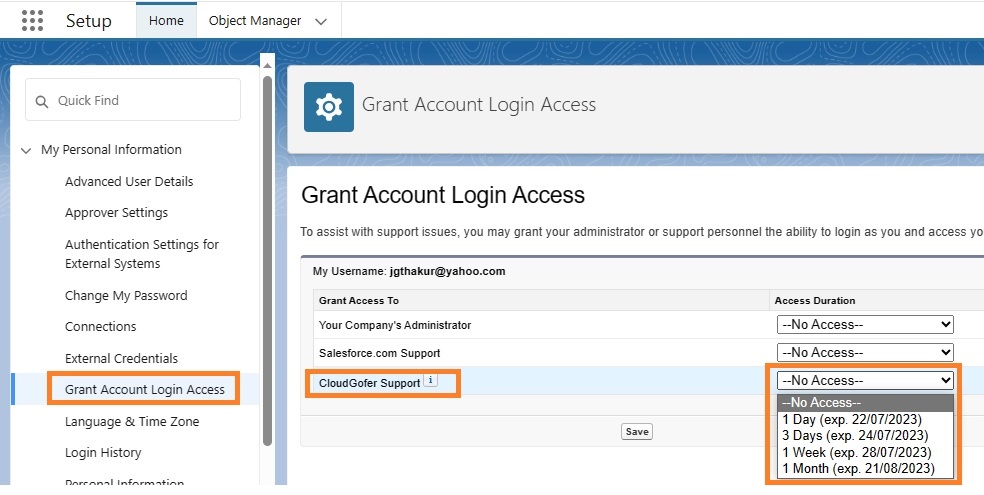
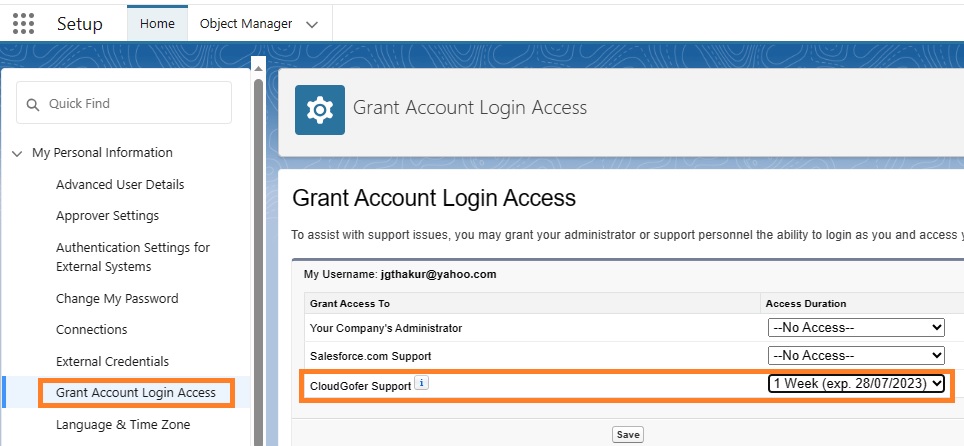
Select Appropriate “Access Duration” for “CloudGofer Support” as shown in the figure above
Go to Setup > Quick Search: Company > “Company Information” > Scroll down and Copy the Value given for Salesforce.com Organization ID
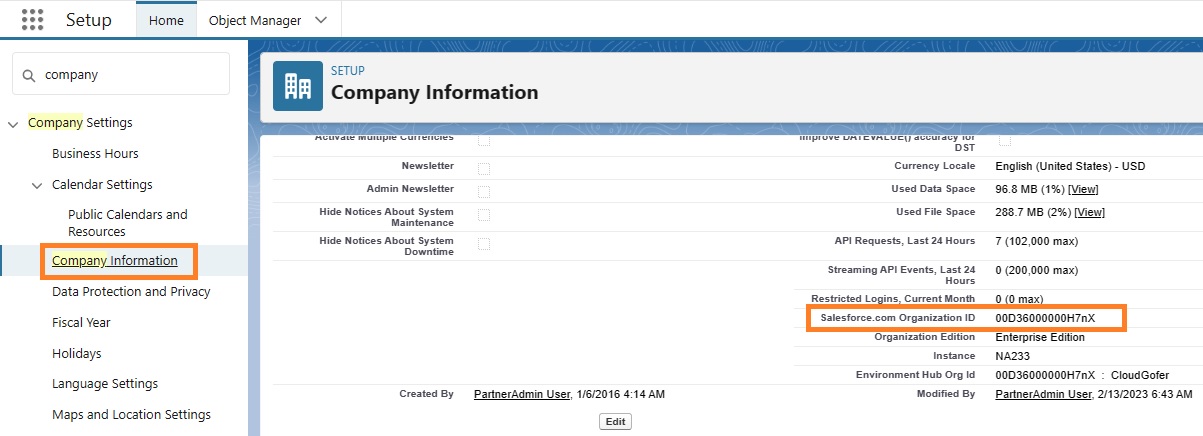
Email support@cloudgofer.com notifying that you have granted Login Access and Also share your Org Id* which is copied in the above step.
CloudGofer Support Access